Any real-world route. Any time. On demand.
Flight Browser is the fastest way to get from "I want to fly tonight" to engines-on. Search real routes, save legs for later, schedule them on your calendar, or tap Lucky when you're out of ideas.
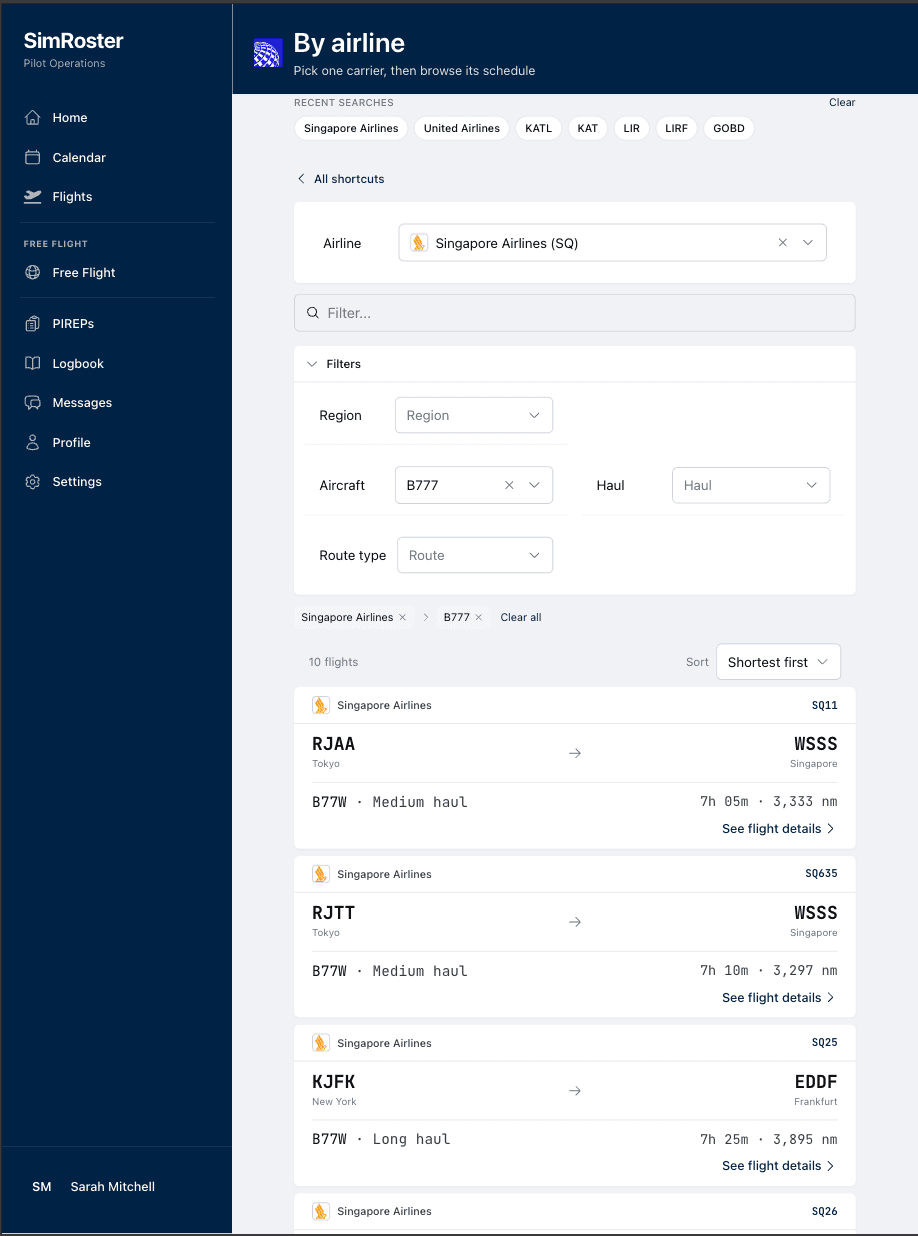
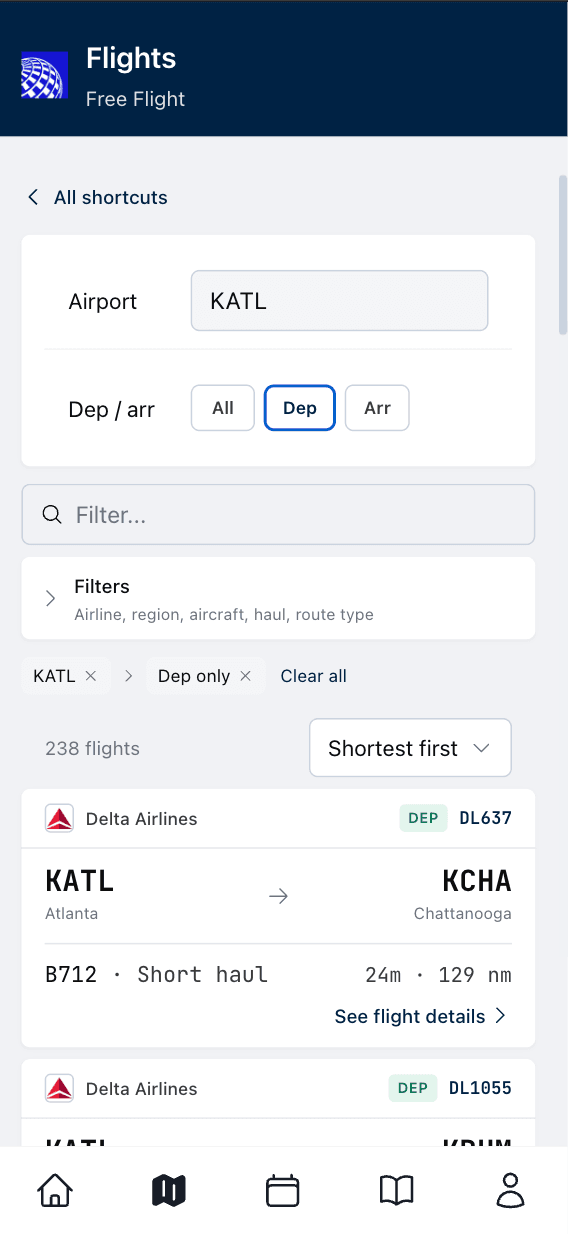
Spontaneous legs, same airline-grade standards.
Most sim nights are not "full contract energy." Sometimes you just want the right city pair, the right aircraft family, and a briefing that feels like dispatch actually did the work.
Flight Browser is built for that rhythm: fast search, clean filters, and a logbook that still respects the realism you care about. When you are ready to go deeper, Career Mode is one tap away, same app, same roster discipline.
- Real city pairs
- Save for later
- Personal calendar
- One logbook
Pick a route like a dispatcher, fly like a line pilot.
No spreadsheets. No guesswork. Just the next leg, ready to brief and ready to log.
Thousands of real routes
Search by city, airport, aircraft family, haul, or airline. Real-world frequencies, real aircraft, real city pairs.
Lucky button
Can't decide? Tap once. Get a random route that actually exists in the real world, weighted toward your sim and experience.
Auto-briefing
Every Flight Browser leg comes pre-briefed: origin, destination, alternate, current METAR, expected fuel, aircraft recommendation.
Save for later
Bookmark any route while you browse. Your shortlist syncs across devices under Flights → Saved for later, ready when you are.
Personal flight calendar
Tap the calendar icon on a route, pick a day, and see it on Calendar and Home beside your career line.
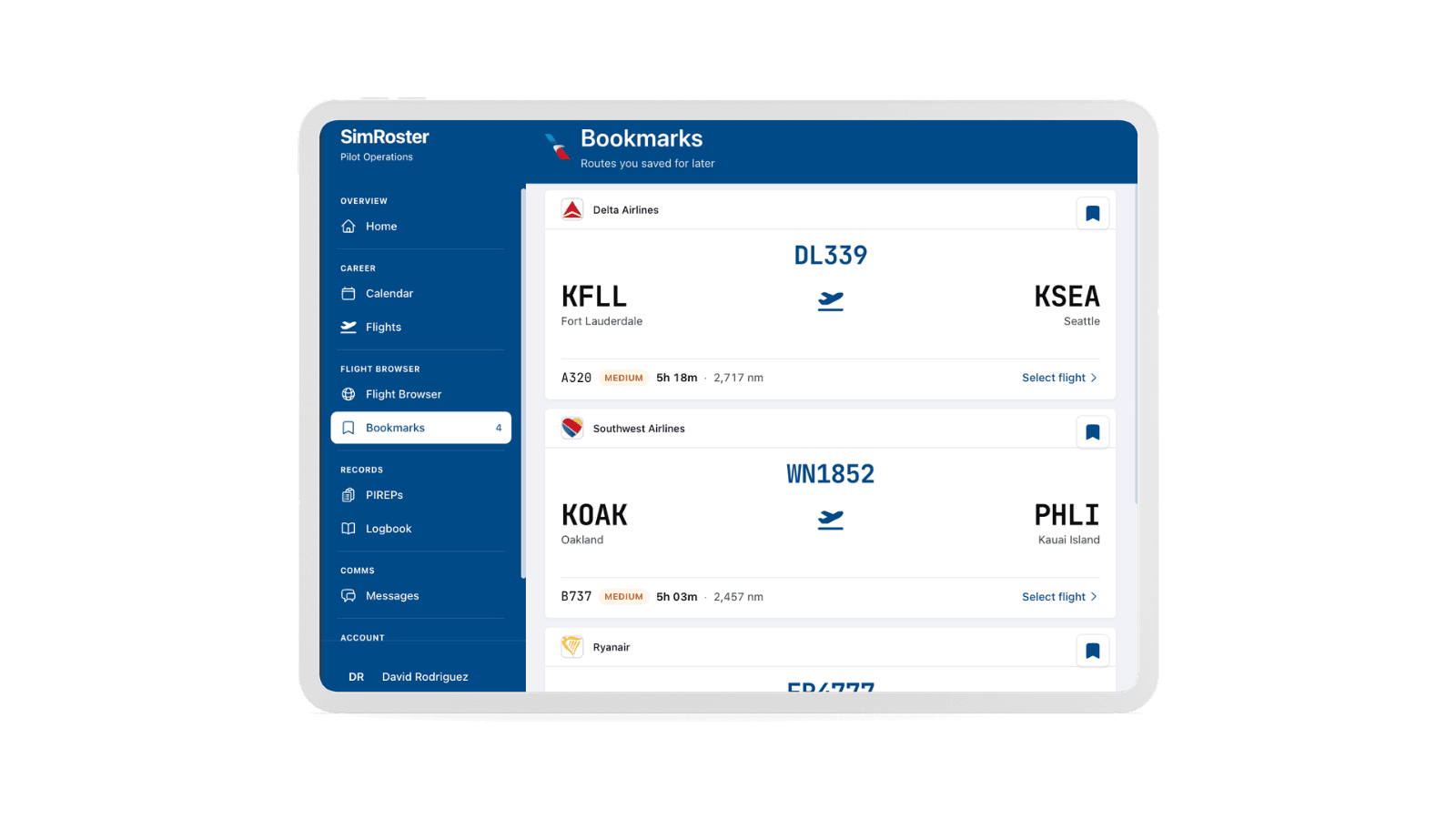
Your shortlist, not a one-night memory.
Spot the perfect leg, then life happens. Tap the bookmark on any route card and it stays in Saved for later. Same routes on your phone, tablet, or desktop when you come back, no spreadsheet and no screenshots.
Bookmarks are your shortlist. The personal calendar is your diary for the day you will fly. Use both from the Flights tab: Find a flight, Saved for later, or your roster when career is in play.
Read about Save for laterPersonal flight calendar, built into Flight Browser.
Discovery is only half the job. When you find a route you care about, schedule it on a real date. Your personal line sits next to career assignments on the same Calendar, with month, week, and day views you already use for airline flying.
On Home, upcoming personal flights appear beside your next assignment. Hide either lane if you only fly one way. No second career, no dispatch review on free legs.
Read the release notes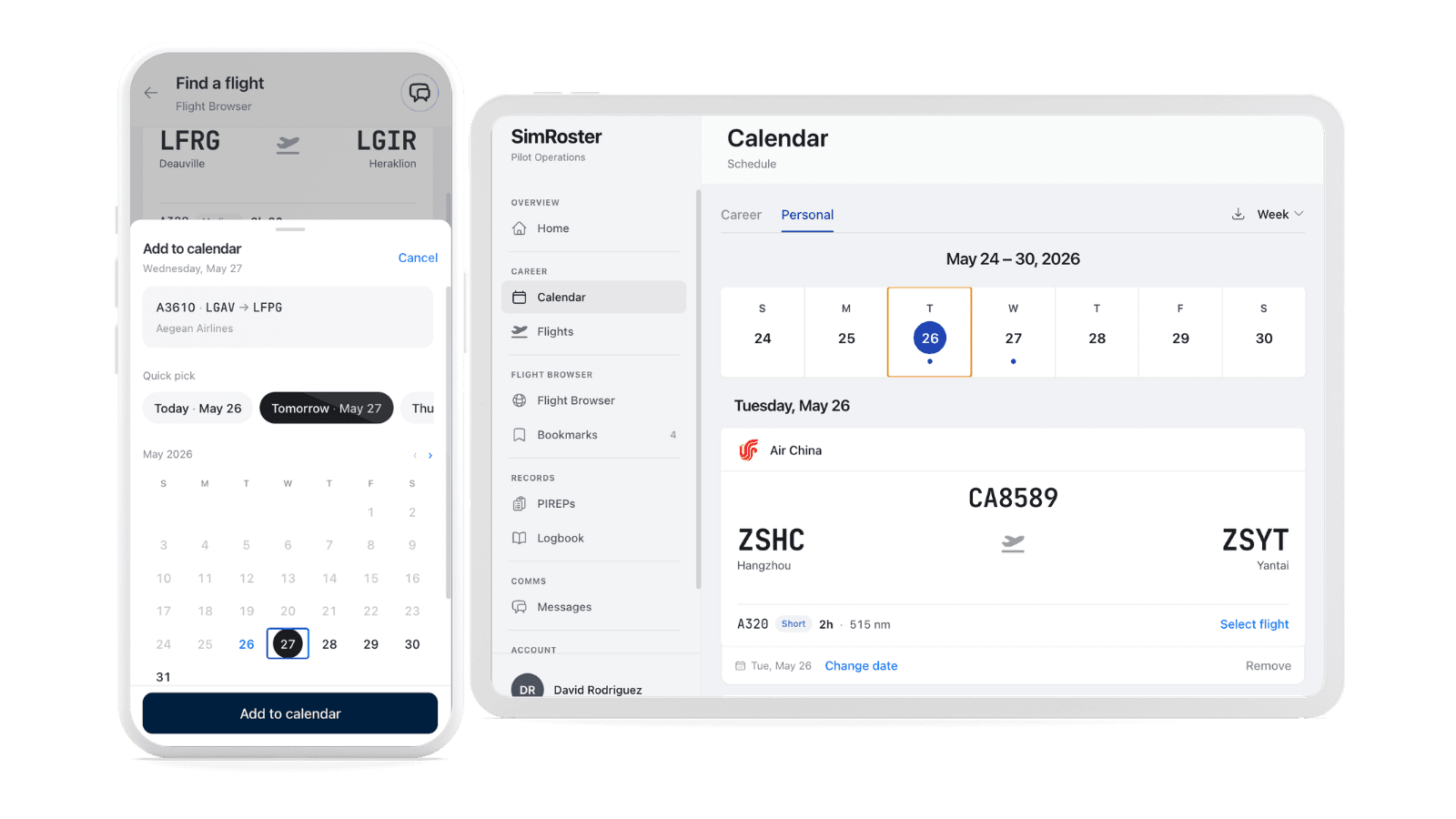
Flight Browser and Career Mode complete each other.
Use Flight Browser when you want freedom. Use Career Mode when you want structure, progression, and the long arc to Captain. Same data model, same logbook, same airline universe.
Flight Browser
On-demand routes for tonight or next weekend. Search, bookmark, schedule on your calendar, brief, fly, log. Built for speed without dumbing down the sim.
Open in appCareer Mode
Sign a contract, fly a roster, file PIREPs, earn type ratings, and upgrade your stripes. This is the airline job sim pilots keep asking for.
See how Career Mode worksEverything included.
Flight Browser is part of SimRoster. Everything is included. Cancel anytime.
Flight Browser is the door. Career Mode is the airline.
If you already love picking routes, the next step is simple: sign with a real carrier in SimRoster, start receiving assignments and routes, and let every leg feed the same logbook you already trust.